

An addendum is a change to the bid documents issued before bids are due, a bulletin is a design change issued after the contract is awarded, and a change order is the signed agreement that changes the contract’s scope, price, or time. A revision is a revised drawing sheet, and it can arrive inside any of the three.
For a structural steel estimator, the label tells you what to do next: update your bid, price a proposal, or confirm a contract change. Usage varies by region and contract form. AIA documents in the US and CCDC documents in Canada use their own names for some of these steps, so read the definitions in your contract and subcontract. The general pattern below holds on most jobs.
Addendum vs bulletin vs change order at a glance
| Document | When it’s issued | Who issues it | What it changes | What the steel estimator does |
|---|---|---|---|---|
| Addendum | During bidding, before bids are due | The architect or engineer for the owner, sent to bidders through the GC | The bid documents: drawings, specs, scope, bid date | Updates the takeoff, reprices, and acknowledges the addendum on the bid form |
| Bulletin | After award, during detailing or construction | The architect or engineer of record, sent through the GC | The design, through a narrative and revised sheets | Prices the adds and deducts and sends a proposal to the GC |
| Change order | After a priced change is accepted | Drafted by the owner or GC, signed by the parties | Contract scope, price, time, or all three | Checks it matches the proposal, signs, and updates the job budget |
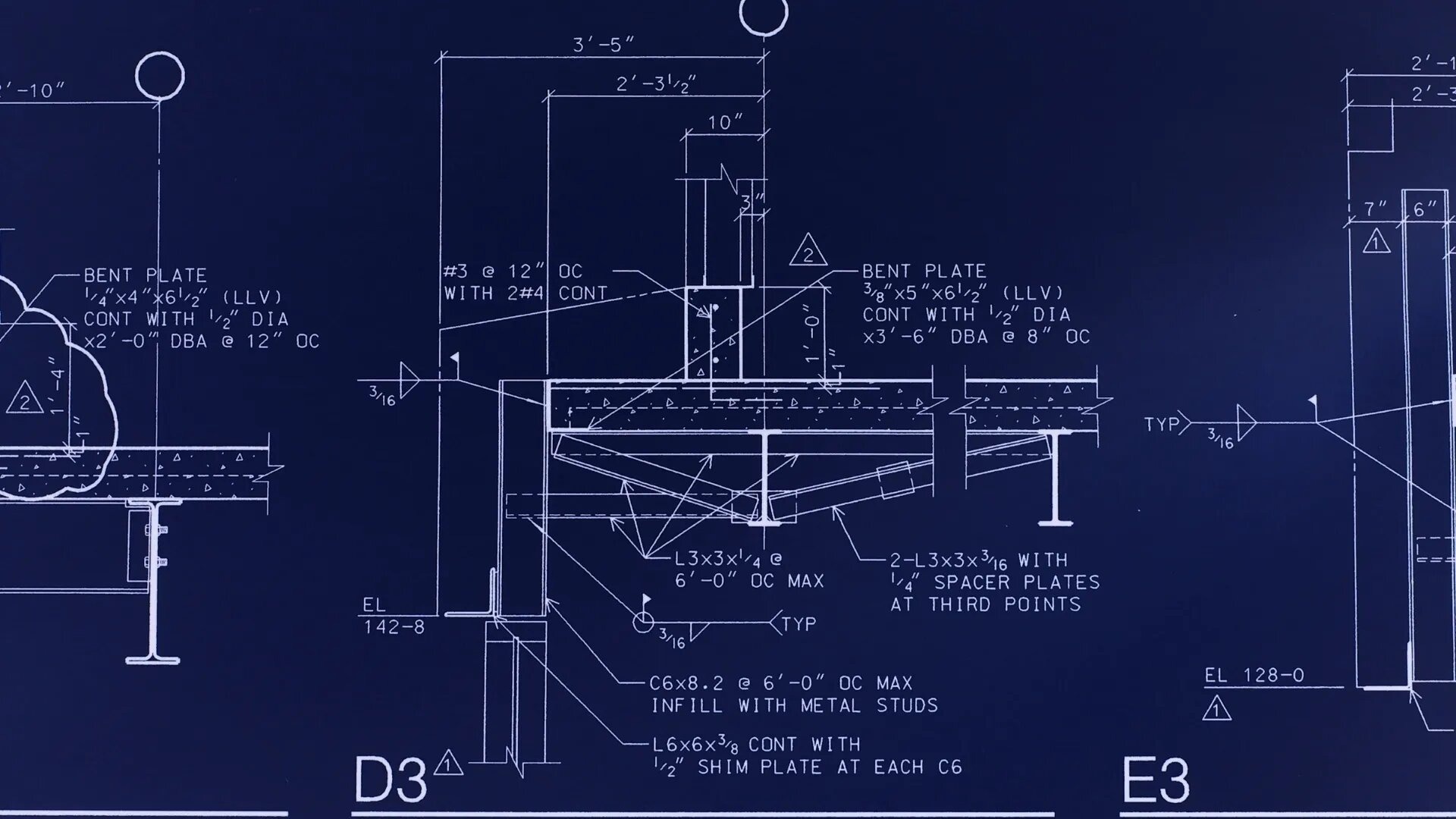
| Revision | Any time | Whoever owns the drawing | One sheet, marked with a revision number, date, and clouds | Finds which document issued it and compares it to the prior version |
An addendum changes what you are bidding on
An addendum modifies or clarifies the bidding documents during the bid period. It can add or replace sheets, change spec sections, answer bidder questions, or move the bid date. Once the contract is signed, addenda become part of the contract documents.
Most bid forms ask you to list every addendum you received. On public work, a missing acknowledgment can make a bid non-responsive.
How to log addenda during bidding
- Keep one addendum log per job: addendum number, date received, sheets affected, spec sections affected, and questions answered.
- Read the narrative first, then go through every sheet. The narrative does not always list every change.
- Swap superseded sheets out of your working set the same day, and mark the old ones as superseded.
- Note which takeoff line items changed and which addendum changed them.
- Check each addendum for a new bid date or question deadline.
- Before you submit, match the addenda on your bid form to the latest one issued. If the numbering skips, call the GC.
Addendum vs revision
The addendum is the document that makes a change official during bidding. The revision is the updated sheet inside it. Addendum 2 might contain sheet S-201 at Revision 3, because sheet revision numbers track the sheet’s whole history, not the addendum count. Revisions also show up in bulletins and issued-for-construction sets.
A bulletin changes the design after award
A bulletin is issued after the contract is awarded to communicate a design change. It usually includes a narrative and revised sheets, clouded and tagged with the bulletin number. It looks like an addendum, but the contract effect is different. An addendum changes what you are bidding on. A bulletin changes work you have already agreed to do, so it usually comes with a request to price it.
If the GC and owner accept your price, the change is written up as a change order. Some bulletins carry no cost or schedule impact. Others come with direction to proceed before the price is settled, through a construction change directive under AIA forms or a change directive under CCDC forms.
Names vary. Some design teams issue proposal requests, sketches, or supplemental instructions instead of bulletins. Supplemental instructions are generally meant for changes with no cost or time impact. Treat any document that changes the drawings after award as a possible cost change until you have checked it.
How to price a bulletin for structural steel
Steel bulletins rarely change one thing. A resized beam can change its connections and the erection sequence. Work through it in this order.
- Find every changed sheet. Read the narrative, then check each sheet against its prior version. Clouds get missed.
- List adds and deducts by member. For each member, record the mark or grid location, old size, new size, length, and weight. A resized member is a deduct of the old size plus an add of the new one.
- Check connection material. New sizes and new loads can change plates, bolts, stiffeners, doublers, and connection types.
- Price shop labor. Add hours for new and changed pieces. Credit labor on deleted pieces only if they have not been cut or fabricated. Rework on finished pieces is an add.
- Include detailing and erection. Revised shop drawings, resubmittals, crane time, field work, and resequencing all cost money.
- Check material status. Steel already ordered or delivered may not be returnable. Note any restocking costs and lead time impact.
- Write the proposal. Show adds, deducts, and net. Reference the bulletin number and sheets, list exclusions, and state how long the price is good for.
RFIs vs bulletins
An RFI is a question from the contractor side. The answer clarifies the design intent. A bulletin is the design team’s formal change to the documents.
When an RFI answer changes the design, it should come back as a bulletin or revised sheet. If it does not, flag it in writing before you price or fabricate the change. Our guide to handling incomplete or ambiguous drawings covers how to write RFIs that get usable answers.
Keep a revision log that ties every sheet to its document
A revision log answers the two questions that come up on every job: which version did we bid, and has this change been priced. One row per sheet revision works well:
- Sheet number, revision number, and date
- Issued under: addendum, bulletin, or change order number
- What changed, in a few words
- Priced (yes or no) and the proposal number
- Change order number and status
Keep the bid set frozen as your baseline. Every later change gets measured against it. This fits into the wider estimating process covered in our steel estimating guide.
How to compare revised steel drawings member by member
A pixel overlay shows where lines moved on a sheet. It does not tell you which members changed or what that does to your tonnage. For pricing, you need a member-level comparison. Look for:
- Added members. New beams, infill framing, bracing, or added columns.
- Deleted members. These are easy to miss because there is nothing new to see. Every missed deletion is a deduct you never take.
- Resized members. A W12x26 that becomes a W14x30 changes weight, connections, and sometimes the members around it.
- Changed lengths and locations. Moved gridlines, revised elevations, and new openings.
- Changed connections. Shear connections that become moment connections, new reactions, and revised bracing.
- Changed notes and details. One change to a typical detail can affect hundreds of pieces.
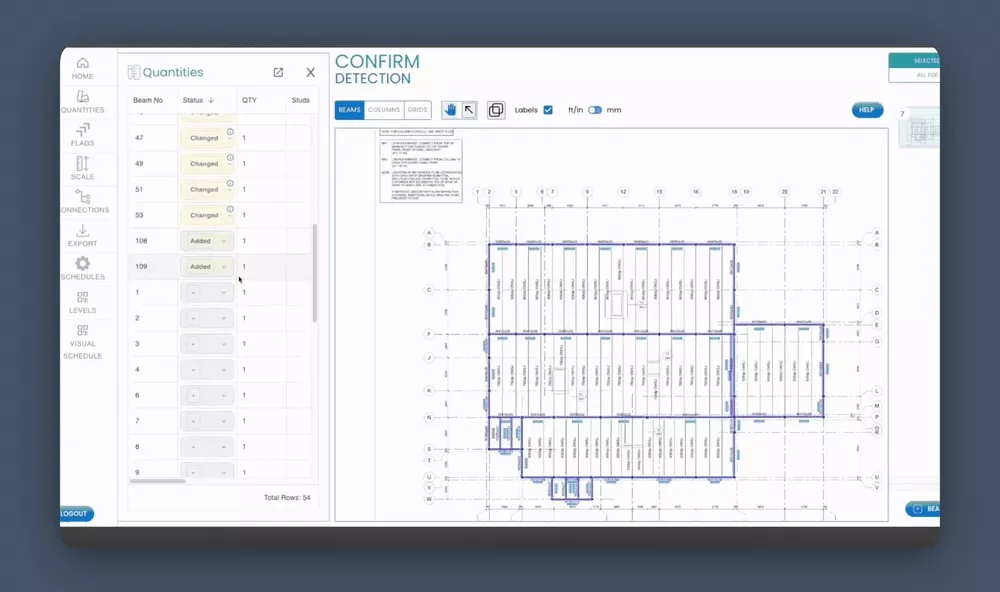
SketchDeck’s revision management does this comparison for beams, columns, and joists. You add the revised drawings to your existing project, and SketchDeck compares the two sets member by member. Each add, deduct, and modification is flagged. A color-coded overlay shows new members in green and removed members in red. Click a member in the table to locate it on the drawing.
The comparison runs on the same project as your original takeoff in SketchDeck’s steel takeoff software. Grades, finishes, categories, copes, and holes carry over, and only the changed members are updated. Every status stays editable, and manual edits are tracked in the same audit history. You can export a full BOM with added, changed, and deducted status for every member, or a Delta Report with positive and negative line items for PowerFab import.
To see how fabricators run SketchDeck on live bids, read our customer stories.
It does not cover sections, details, or misc metals yet. Changes to notes and details still need your own review.
Common mistakes when processing drawing revisions
- Missing a change with no revision cloud. Designers miss clouds. Compare the full sheet, not just the clouded areas.
- Pricing against superseded sheets. If old and new sheets sit in the same folder, someone will take off the wrong one.
- Not tracking deducts. Adds get priced because someone asks for money. Deducts get lost because nobody asks.
- Pricing the steel and skipping the rest. A resize can change connections, detailing, shop hours, and erection.
- Starting changed work without written direction. Get a signed change order or a written directive first.
- Losing the bid baseline. Without the bid set, you cannot show the GC what changed or why your price moved.
Frequently asked questions
What is an addendum in construction?
An addendum is a written change to the bid documents issued before bids are due. It can revise drawings and specs, answer bidder questions, or change the bid date. Bidders usually acknowledge each addendum on the bid form, and addenda become part of the contract once it is signed.
What is the difference between an addendum and a bulletin?
An addendum is issued during bidding and changes what you are bidding on. A bulletin is issued after award and changes work already under contract. A bulletin usually asks for a price, and an accepted price becomes a change order.
What is the difference between an addendum and a change order?
An addendum changes the bid documents before a contract exists, so nothing needs to be signed beyond acknowledging it on the bid form. A change order modifies a signed contract and changes scope, price, time, or all three. A change order needs signatures from the parties.
How do steel estimators manage drawing revisions before issuing change orders?
They keep a revision log tied to each addendum or bulletin and compare every revised sheet against the prior version. Then they list adds and deducts by member, including connections and labor. That priced proposal goes to the GC and becomes the basis for the change order.
What is the easiest way to review structural steel plan changes by member?
Compare the old and new drawing sets member by member and record each add, deduct, and resize with its weight. You can do this by hand or with a tool that compares sets at the member level. SketchDeck’s revision management flags adds, deducts, and modifications for beams, columns, and joists, and exports the changes as a BOM or Delta Report.