

Validate changes visually without flipping between drawing sets.
Toggle the color-coded overlay to see what's new in green and what's been removed in red.
Revision management
When drawings change, SketchDeck identifies what's different, updates your quantities, and generates the documentation you need to price the change.
The problem

Manually itemizing changes every time an addendum comes in.

One missed change means bidding at the wrong price.

Fast turnaround pressure is high on rebids/change orders.
It takes four to five bid cycles on average to win a structural steel job. That's before post-award change orders even start. Every revision means stopping what you're doing, finding the changes, and turning around an updated price while work continues to pile up.
How it works
01
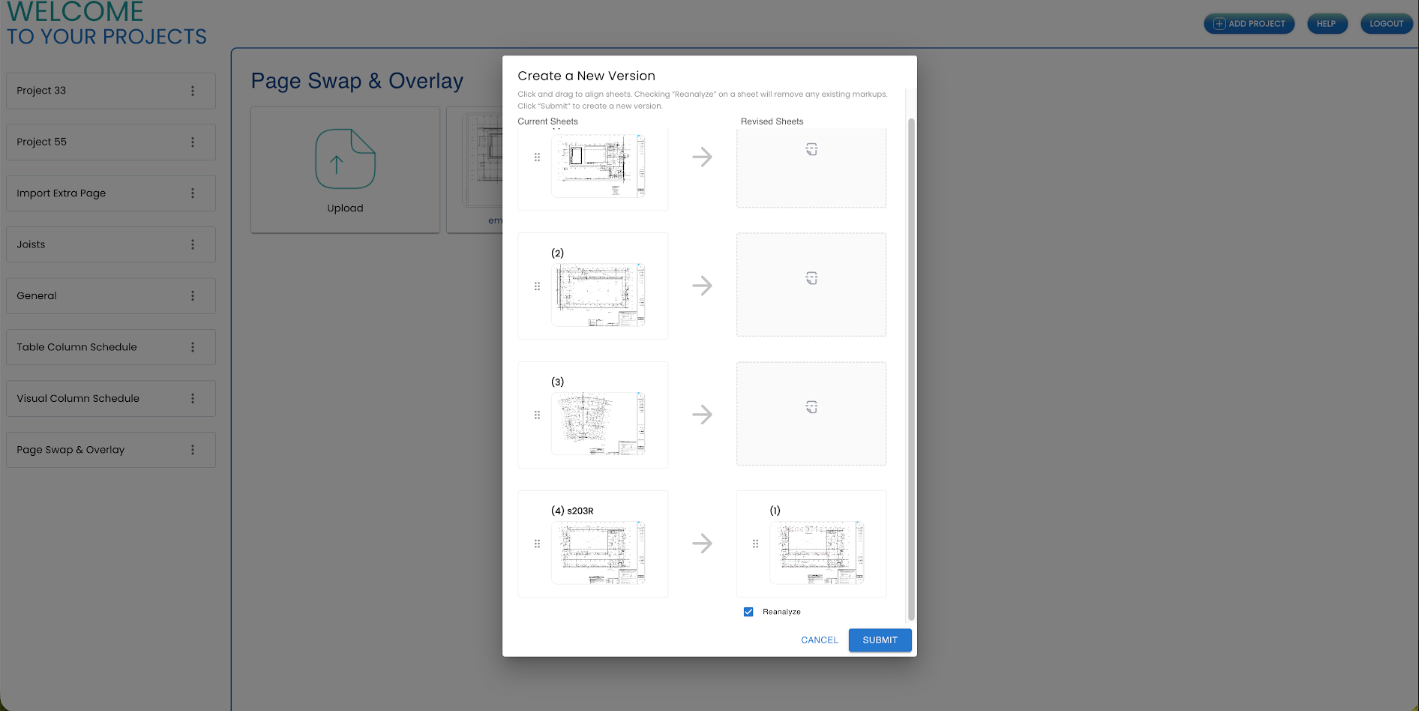
Add the new set to your existing SketchDeck project. Processing takes about one to two minutes per page for automated analysis.
02
AI compares the two sets member by member. Adds, deducts, and modifications are flagged automatically. Toggle the overlay to validate: green means new, red means removed. Click any member in the table to locate it on the drawing.
03
All your previous estimate work carries over. Grades, finishes, categories, and any other fields you add. SketchDeck only touches what changed. Export a full BOM or just the changes.
Features
Every tool your team needs to process drawing revisions without starting over.

Identifies every add, deduct, and modification between drawing revisions automatically.

Toggle overlay highlights what changed. Green for new, red for removed.

Click a member in the table, it finds it on the drawing. Click the drawing, it highlights in the table.

Grades, finishes, categories, copes, and holes carry over. SketchDeck only touches what changed.

Every status is editable. Manual changes are tracked in the same audit history.

Full bill of materials with added, changed, and deducted status for every member.

Positive and negative line items ready for direct PowerFab import.

Communicate changes visually quickly across the entire project.
Workflows
Upload your revised set and SketchDeck identifies every add, deduct, and modification, no manual overlay required.
Toggle the color-coded overlay to see what's new in green and what's been removed in red.
Click a member in the table and SketchDeck locates it on the drawing. Click the drawing and it highlights in the table.
SketchDeck carries over all your previous work and only updates what changed between revisions.
Full estimator control with a complete audit history of AI and manual edits in one place.
Full BOM export with added, changed, and deducted flags on every member. Tonnage summaries for adds, deducts, and net changes. Import change data directly into PowerFab with the Delta Report.
What this means for your team
When addenda arrive mid-bid, SketchDeck updates your quantities and tracks the changes. Spend your time on pricing, not re-counting.
Every change is tracked with a before-and-after record. Export a clean delta report to justify pricing to the GC and owner.
Fewer missed changes, faster turnaround, and a consistent process across your project portfolio.
Bring your toughest revision
Book a demo and bring your toughest revision. We'll show you how SketchDeck identifies the changes and what the export looks like. If you're an existing SketchDeck customer, talk to your account team about getting access.

About one to two minutes per page.
Beams, columns, and joists. Sections, details, and misc metals aren't covered yet.
Yes. Any time revised drawings are issued, pre-award or post-award.
No. Grades, finishes, categories, copes, and holes all carry over. SketchDeck only updates what changed.
Every status is editable, and manual changes are tracked in the same audit history.
Yes. Add a new version to any existing project and run the comparison against your completed takeoff.
A full BOM with change status for every member, and a Delta Report with positive and negative line items for direct PowerFab import. Both include tonnage summaries.
Book a demo at sketchdeck.ai, or if you're an existing SketchDeck customer, talk to your account team.