

We hope you’re enjoying the summer and gearing up for a successful Q3. At http://SketchDeck.ai , we’re dedicated to simplifying and improving the lives of estimators by leveraging new technologies to solve longstanding challenges. We’ve made significant strides in Q2, and we’re thrilled to share our progress with you.
Recent Product Improvements:
Here are a few new features we’ve rolled out over the last quarter:
- Automated connection codes for complex bidding processes.
- Pop-out quantities panel.
- Copy, paste, and undo functionality.
- Preset scales and multi-page scaling.
Hundreds of estimators have saved tens of thousands of hours in bidding times, submitting more than 900 bids faster and with greater accuracy in the first half of this year. SketchDeck (formerly LIFT) has supported our customers across North America, increasing their take-off speeds by reducing the monotony in estimating and allowing teams to focus on the more challenging parts of their take-offs.
Detailed Highlights
- Automated Connection Codes
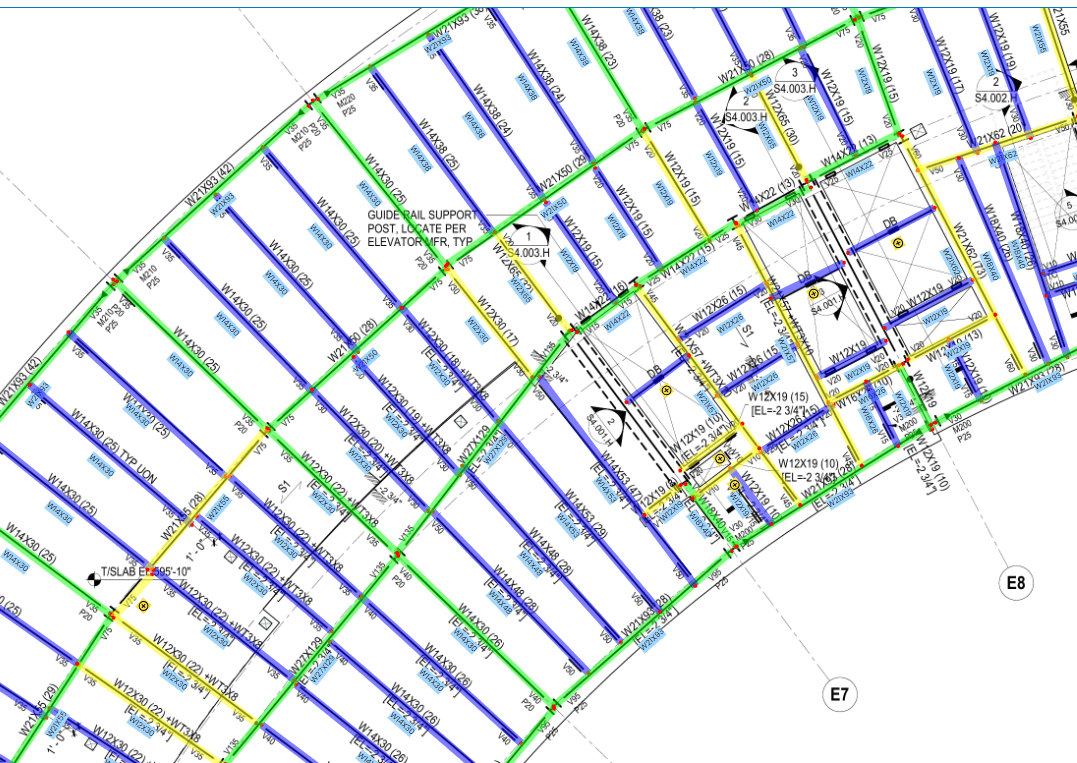
SketchDeck will soon be able to automatically identify the end conditions of a beam. This feature is currently in beta testing with a few of our design partners.
Feedback from Fabricators:
- “We’ve tested this prototype and it has saved us 80% of the time spent on beam take-offs. This is going to be a huge time saver.”
- “One estimator saved 4 days on a job that would have taken her five days and two people to take off.”
Note: This feature is at the prototype stage and will be rolled out to a limited group of fabricators in Q3. If you think automated connection codes could benefit your team, we’d love to connect. Feel free to reach out to us.
- Pop-out Quantities Panel
We’ve added the ability to open the Quantities Panel in a separate window, allowing customers to view the Quantities Panel and main SketchDeck screen on separate monitors. Just open the Quantities Panel and click the “pop-out” button.
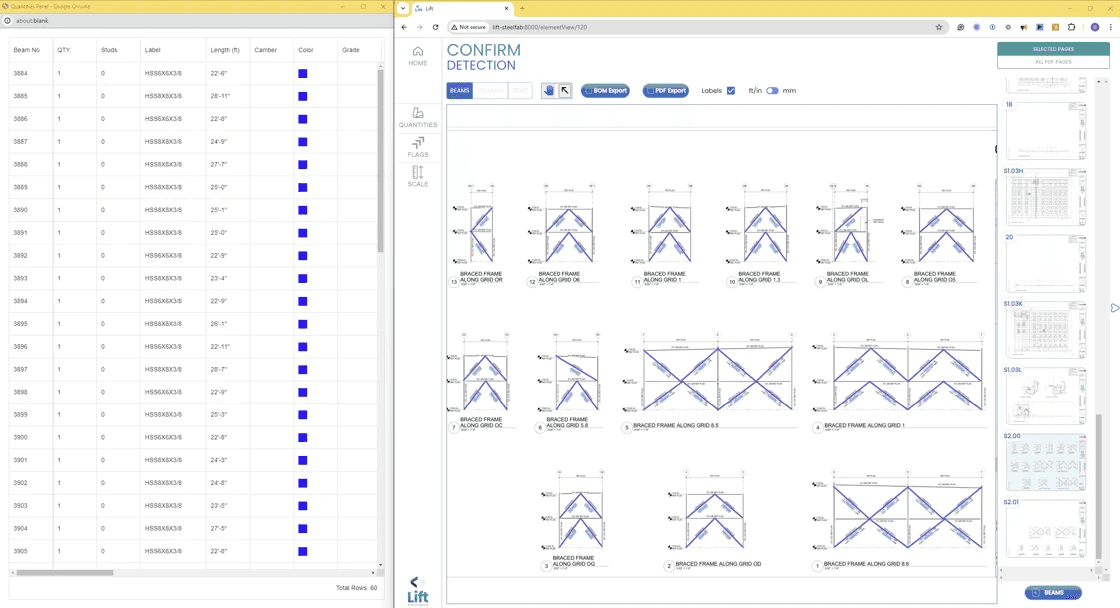
- Copy, Paste & Undo
The copy, paste, and undo features have been implemented to reduce friction for estimators using the platform. Estimators can now easily copy and paste selected rows of beams or click the “undo” button to revert accidentally completed actions.
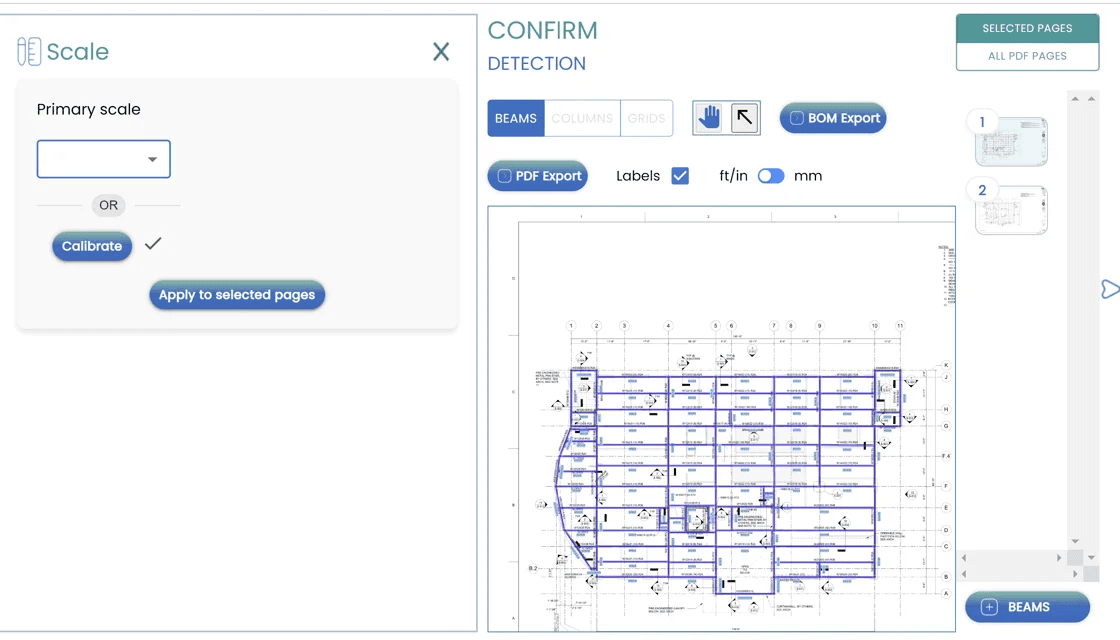
- Preset Scales & Multi-Page Scaling
The multi-page scaling feature allows users to add the scale once and apply it to multiple pages, eliminating the need to scale every page individually when multiple scales are possible.
Industry Recognition
The AISC published an article on the arrival of AI in steel in the June issue of Modern Steel Construction. For some, AI remains elusive, while others find its impact significant. The reality is that AI is already providing a competitive advantage to fabricators embracing it. If you haven’t read the article yet, check it out here.
Thank You
A special thanks to the customers who provided insights and feedback on feature development over the past quarter. These fabricators are helping us build software that can “speak steel,” as described by Mason Carragher, an estimator at McDougall Steel Erectors.
Feel free to reach out and connect with us if these changes sound like they would be of interest. We’re here to help!