Introducing Revision Management with LIFT-Delta

Revision Management is now live in LIFT. It automates the manual work of comparing drawing sets, updating takeoffs, and documenting what changed, so fabricators and erectors can respond to rebids and change orders in minutes instead of hours.


Why Revisions Are So Painful

Revisions are part of every steel project. An addendum lands mid-bid. A change order comes through after award. An RFI triggers a drawing update mid-project. Each one forces the same interruption: stop what you're doing, find the revised drawing set, compare it to the one you already worked from, and figure out what actually changed.

On average, it takes around four to five bid cycles to win a job, and that doesn't include post-award change orders. Every one of those cycles ends with the same manual comparison work, under deadline pressure, while the rest of the pipeline keeps moving.

And it's not only estimators feeling it. Project managers and contract administrators live in the same revision cycle after award, when change orders and RFIs keep coming and the quantities need to stay accurate for billing and procurement.

For most teams, this means hours of manual comparison, an incomplete audit trail of what changed, and the constant risk of pricing at the wrong number because something slipped through.


What Revision Management Does

Revision Management automates the full cycle: identifying changes between drawing versions, updating the takeoff, and generating the documentation you need to bid or respond to change orders at the right price.

Upload a revised drawing set and LIFT compares it to your previous version. Every added, removed, or changed member gets flagged. Your previous work carries forward. You review only what's different. See the full Revision Management overview.

The core capabilities

Version comparison. Add a new version to an existing job, upload the revised drawings, and arrange the pages to produce a complete revised set. LIFT handles the version history automatically.

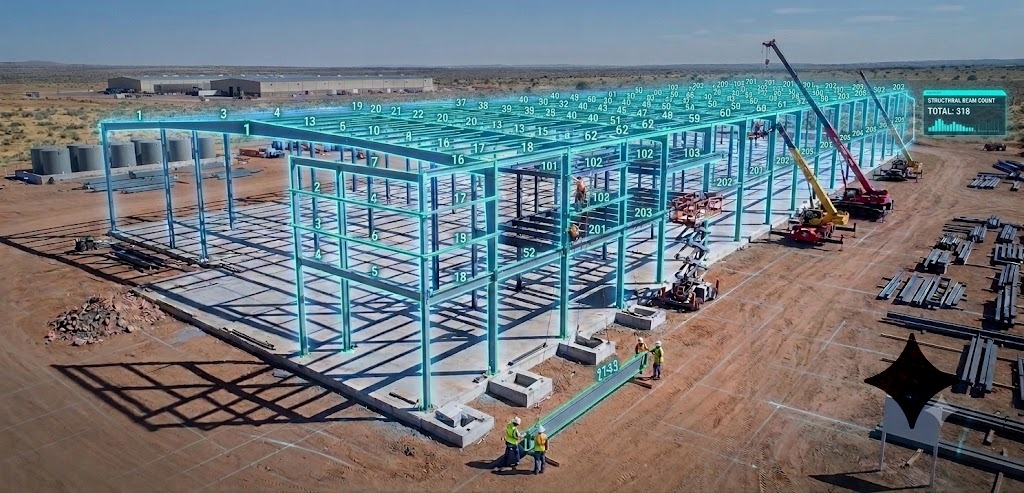
AI-powered change detection. Rather than transferring markups manually or re-analyzing from scratch, LIFT compares the two drawing sets and makes the changes for you. Processing takes roughly one to two minutes per page.

Quantity panel with change status. Every member in the takeoff is marked as added, changed, or deducted. You see the full picture of what moved between versions without hunting for it.

Overlay validation. Turn on the overlay to visually confirm the changes LIFT identified. Hover over a member to see a record of what changed, for example, from W250x33 to W360x33.

Page alignment tools. When pages don't align perfectly between drawing versions, a combination of click-and-drag and keyboard controls lets you fix alignment quickly to ensure accurate comparison.

Delta Report with tonnage summaries. A built-in summary shows net tonnage added, deducted, and changed by member type. On one beta job, this surfaced 150 tons added, 90 tons deducted, and just over 200 tons removed as the net change of moving to lighter members, all directly from the export.

BOM export with change status. Every line item in the exported BOM includes its status (added, changed, or deducted), giving downstream teams a clean record of what moved. The export is built to align with Tekla PowerFab and common internal estimation workflows.


What This Means for Your Team

For estimators, revisions stop eating hours. A revised drawing set comes in, LIFT processes it, and the updated takeoff is ready to review in minutes. No more rebuilding quantities from scratch to catch what changed.

For project managers and contract administrators, post-award change orders and RFIs become tractable. The quantities stay current, the audit trail is automatic, and billing and procurement have the documentation they need without a separate scramble.

For the business, rebids and change orders can be turned around at the right price, with confidence, instead of with whatever could be pulled together under deadline pressure.


Built with Customers, For Customers

Revisions have been the single most-requested feature in LIFT for over a year. Almost every estimator we sit with brings it up unprompted. We heard it enough times to know it was costing customers real money across the entire life of the project.

Several of our customers have been running Revision Management in beta for the past several months on real projects with real deadlines. Their feedback pushed us in directions we wouldn't have gotten to on our own, and shaped what we're shipping today.

The real credit for this release goes to them. To the customers who kept raising their hand, kept telling us where the pain was, and kept giving us feedback on the early builds. That's how good products get made.


Next Steps

Revision Management is available for every LIFT customer, new and existing. Reach out to your CSM or contact us to get access.

We're showing it live this week at NASCC 2026 in Atlanta. Stop by Booth #1127 to learn more.

Book a demo to see Revision Management on your own project drawings.

How AI Integration Transforms Existing Steel Estimating Workflows Without Disrupting Your Team

AI can slot into your existing steel estimating workflow as a fast, accurate takeoff “engine” without forcing you to abandon Tekla, Excel, Strumis, or the review habits your team already trusts. The key is treating AI as another tool in your estimating bench, not a replacement for your processes or your people.​​


How AI Integration Transforms Existing Steel Estimating Workflows Without Disrupting Your Team

Steel estimators face a tough decision. Stick with familiar manual processes that work but take hours, or risk disrupting everything with new technology that might not integrate with existing tools. The fear is real: what if AI does not work with Tekla, Strumis, or your custom Excel templates; what if it disrupts years of refined workflows; what if the team resists the change.​​

Across construction, digital takeoff and automation have already cut quantity takeoff time by roughly 80% compared to manual methods, as guides from Buildxact and other construction tools document. In structural steel, fabricators using AI‑assisted takeoff and integrated estimating workflows report 50–80% reductions in takeoff time and substantial gains in bid capacity. They are not replacing their systems; they are enhancing them.​​

For a good high-level overview of computer vision in construction, see the Automation in Construction review on computer vision applications.

This article explains how AI integrates with your current steel estimating workflows, what stays the same, what improves, and how to implement it without chaos.

For a complete walkthrough of manual steel estimating, including takeoff, labor, and pricing, see The Ultimate Guide to Steel Estimating: Best Practices for Fabrication Success.​


The Integration Reality: What Actually Happens When You Add AI

Many estimators picture “AI integration” as throwing out tools like Tekla, Strumis, and Excel and starting from scratch, a fear echoed in AI‑adoption articles in construction and metal industries. That is not how successful fabricators do it.​​

AI for steel estimating acts as an intelligent layer on top of your existing workflow, similar to how power tools augment a shop without changing the fundamental fabrication steps. In most integrated shops, the following parts of the workflow stay the same:​​

What changes is the amount of manual work required to get to a clean bill of materials, because manual counting, measuring, and data entry can consume roughly 60–80% of an estimator’s working time. AI takeoff tools remove most of that burden so estimators can spend their time on scope, pricing, and strategy, which aligns with BIM and automation studies showing productivity gains when low‑value tasks are automated.​

One structural steel fabricator quoted in SketchDeck.ai case material summarized it this way: “We still estimate the same way; we just do not count beams by hand anymore.”​


Understanding Your Current Workflow Pain Points

Before you integrate AI, you need a clear view of where manual processes are actually slowing you down. Research on construction estimating shows that small quantity errors and process inefficiencies compound into major cost overruns. One summary of overrun statistics notes that about 85% of projects experience cost overruns and that 32% of overruns can be tied to estimating and scope issues.​

For more context on cost overruns and estimating accuracy, see Contimod's construction cost overrun statistics and Mastt's overview of factors affecting estimating accuracy.​

Industry data and your own pillar content highlight a few common bottlenecks in steel estimating.​

Manual takeoff time

Data entry redundancy

Error‑prone steps

Time‑intensive reviews

These issues tie directly into the cost overrun statistics mentioned above, where poor estimating and scope management contribute to overruns of 15–28% on many projects. AI does not remove risk, but it gives you a faster, more consistent starting point so your team can focus on catching high‑impact issues instead of doing rote tasks.​


How AI Fits into Your Existing Tools

The best AI estimating systems do not replace tools like Tekla or Excel, they feed them with cleaner, more complete data.​​

Integrating with Tekla Structures

Tekla Structures remains the steel detailing standard for many fabricators, and AI takeoff tools such as LIFT can export member and connection data in formats that Tekla can interpret while preserving section sizes, lengths, and attributes. Studies on BIM and model‑based quantity takeoff show that when structured data flows cleanly into tools like Tekla, coordination improves and manual data entry drops.​​

A typical workflow looks like this:

  1. Upload structural drawings (PDF or DWG) into the AI platform.
  2. AI detects and counts beams, columns, and braces, then reads their sizes with OCR that can reach 98–99% character accuracy on clean, printed text at 300 DPI or above.​
  3. Export the takeoff as a Tekla-compatible file or structured CSV, reflecting standard section properties from the AISC Code of Standard Practice and CISC Code of Standard Practice for Structural Steel
  4. Import into Tekla to drive modeling, sequences, or reporting.
  5. Continue detailing as usual.

Academic work on computer vision and BIM for construction documents and progress monitoring shows that combining CV extraction with BIM tools can improve data consistency and reduce manual work when transferring information into design models.​

For a broader summary of computer vision applications in construction, see Viso.ai's overview of computer vision in construction.

Working with Excel and Custom Templates

Nearly every estimating team has Excel templates refined over years, which your pillar article recommends as part of a strong estimating system. AI takeoff does not ask you to discard them; it populates them.​

Most AI platforms offer:

This means your pricing logic, markups, and risk factors remain unchanged, but instead of spending hours keying numbers into spreadsheets, your estimators can focus on analyzing those numbers against historical performance and market conditions, in line with cost‑engineering best practices.​

Your pillar article already recommends building and maintaining a historical estimating database that tracks estimated vs. actual performance by project type and tonnage. AI takeoff strengthens that advice by making it faster to populate that database with clean, comparable data for every job, similar to how BIM‑driven quantity takeoff centralizes data.​

Connecting to Strumis and Other MIS/ERP Systems

Manufacturing Information Systems (MIS) like Strumis need accurate, structured data to drive purchasing, nesting, and production planning, and BOM automation research shows that when ERP systems receive high‑quality data, material waste and rework decline. AI integration focuses on delivering exactly this.​​

A typical integrated flow:

  1. AI performs the takeoff and builds a BOM with sections, lengths, weights, and location tags.​
  2. The BOM exports in a format that Strumis or an ERP can read, often CSV or a dedicated import format.​
  3. Your MIS uses this data for stock checks, purchasing, nesting, and production scheduling.

For more on BOM automation and error reduction, see ComplianceQuest's overview of BOM management automation and Markovate's guide to AI-automated BOM generation.​


How Teams Actually Work with AI: Day‑to‑Day Scenarios

The Morning Bid Review

Traditional workflow

Industry guides note that manual takeoff for a typical mid-size project often takes 4–8 hours or more.

AI‑integrated workflow

The steps are the same receive, understand, take off, price, review, submit but where your time goes is different. Instead of spending 6–8 hours on counting and only a couple of hours on strategy, estimators can flip that ratio, consistent with time‑savings reported for digital takeoff and AI workflows.​

Handling Drawing Revisions

Drawing changes used to mean rework and risk of missing updated elements. Computer vision and document comparison tools make revisions more manageable by highlighting differences between versions, which is a documented use case in AI‑driven document analysis.​

With AI integrated:

AWS describes similar workflows in its overview of AI-powered construction document analysis.

Multi‑Estimator Collaboration

Large or fast‑track projects often require more than one estimator. AI integration can improve collaboration rather than complicating it, especially when the AI platform serves as a shared source of truth.​​

Common patterns include:

Construction collaboration research shows that shared, structured data reduces rework and miscommunication between teams, which directly supports better estimating outcomes.​


The Human Element: Getting Your Team On Board

Common Concerns You Should Expect

For more on OCR and blueprint-specific challenges, see MobiDev's guide on OCR for engineering drawings.

A Phased Rollout That Works

Case studies from SketchDeck.ai customers like Ennis Steel and King Steel show that this phased approach leads to faster adoption, higher estimator satisfaction, and measurable gains in bid capacity without team burnout.​​


Measuring Integration Success: Metrics That Matter

Time Metrics

Quality and Risk Metrics

Business and People Metrics

Your existing guide explains how even a 5–10% miss on quantities or unit rates can erase a 10–15% target margin. AI should help push you toward tighter, more consistent estimating, not just faster output.​


Common Integration Challenges and Practical Fixes

Inconsistent drawing quality

Resistance from senior estimators

Integrating with legacy systems

Consistency across teams


Is Your Workflow Ready for AI Integration?

You are likely ready if:

For broader context on BIM and digital transformation benefits, see this overview of BIM for contractors.


Next Steps: See AI Integration on Your Own Drawings

A short, structured pilot is more valuable than a generic demo.​​

A good pilot should:

SketchDeck.ai offers pilots like this with LIFT, the company’s AI‑powered steel takeoff platform. During a pilot:​

Request a pilot or demo here →​

To prepare your team, share The Ultimate Guide to Steel Estimating: Best Practices for Fabrication Success and What AI Can and Cannot Do in Steel Estimating: Setting Realistic Expectations.

Building a High-Performance Steel Estimating Workflow

Research on lean construction shows that up to 95% of working time can be consumed by non‑value‑added activities, leaving only about 5% for actual value creation. This guide explains how to redesign your steel estimating workflow so that you multiply capacity, reduce cycle time, and improve consistency, whether you still work manually or already use tools like LIFT.

Many shops are turning down bid opportunities because the estimating team is at capacity. At the same time, competitors with optimized workflows and carefully chosen automation are bidding three to five times more projects with the same headcount. The difference is not effort. It is the way work flows, where it stalls, and how much time gets lost to rework, waiting, and context switching.

This article provides a complete framework for building a high‑performance estimating workflow. It draws on lean construction principles, Theory of Constraints research, and real results from steel fabricators that have systematically eliminated bottlenecks and scaled their bid volume.


What Makes a Workflow High‑Performance?

A high‑performance estimating workflow delivers three outcomes at the same time:

Construction productivity research emphasizes that workflow optimization should focus on removing constraints rather than pushing people to work harder. The Theory of Constraints (TOC) says that every process has a single binding bottleneck at any given time, and improving non‑bottleneck activities has no effect on overall throughput.

In most steel estimating departments, the bottleneck is takeoff and quantity extraction. Time‑study and duration‑modeling work indicate that this stage can consume 40–50% of total estimating time on typical projects. When you compress that phase and keep quality under control, the entire system speeds up. This is where AI tools like LIFT have the largest leverage, because they can reduce the counting and extraction workload by 70–90% on many projects.


Step 1: Assess Your Current Workflow

Before you improve the process, you need a clear baseline. Lean construction uses value stream mapping as a first step. You document every activity, handoff, and waiting period in your current process so you can identify waste systematically.

Conduct a Workflow Audit

Map your process from RFP receipt to bid submission:

A field study on lean construction implementation found that about 95% of time in typical construction processes is non‑value‑adding support work, and only around 5% directly creates client value. In estimating, value‑adding work is scope analysis, engineering judgment, and pricing strategy. Non‑value‑adding work is re‑reading the same drawings, re‑entering the same data into multiple systems, or waiting for information that should have been requested at intake.

Common Workflow Inefficiencies in Steel Estimating

Recurring issues in many steel shops include:

Establish Baseline Metrics

Create a quantitative baseline so you can measure improvement:

Duration‑benchmarking work in construction stresses that these metrics must be controlled for project scope variables such as size and complexity to enable fair comparison over time.


Step 2: The Five Stages of an Optimized Steel Estimating Workflow

High‑performance shops tend to converge on a similar structure. The details vary by company size and market, but the logic is consistent: catch problems early, protect the bottleneck, and avoid unnecessary loops.

Stage 1: Intake and Qualification (about 15% of Total Time)

Purpose: expose missing information, complexity drivers, and bad‑fit jobs before you sink hours into takeoff.

Lean research shows that the later a problem is discovered in the process, the more expensive it is to correct. In estimating, this means that a disciplined intake process is more than administration; it is risk control and cycle‑time control.

Key practices:

TOC teaches that identifying constraints early prevents wasted downstream effort. For estimating, the constraint at intake is usually information quality.

Stage 2: Takeoff and Quantity Extraction (traditionally 40–50% of Time)

Purpose: produce an accurate, well‑documented set of quantities with minimal rework.

Time‑study work on construction processes and models for estimating duration both show that measurement and takeoff phases dominate preconstruction time on many projects (https://etd.lib.metu.edu.tr/upload/12610696/index.pdf).

Key practices in a manual or semi‑manual environment:

Technology leverage at this stage:

This is where automation delivers the most value. Research on automation in lean construction shows that automating repetitive, rule‑based tasks across the project lifecycle, including preconstruction, can significantly reduce non‑value‑added time and improve overall performance (https://www.sciencedirect.com/science/article/pii/S2666165924001005). In steel estimating, AI tools like LIFT automate detection and counting of structural members and many connection features directly from PDF drawings, then output a structured bill of materials in minutes rather than hours or days.

Customer data from SketchDeck.ai illustrates the impact:

A typical shift looks like this:

The estimator still controls scope, connections, and risk, but the counting bottleneck is no longer limiting the number of bids that can be produced.

For a detailed look at how fabricators are implementing this hybrid workflow in practice, see How Steel Estimators Handle Complex Projects Without Burning Out: 5 Workflow Strategies That Cut Takeoff Time by 80%.

Stage 3: Pricing and Cost Buildup (about 20–25% of Time)

Purpose: convert verified quantities into realistic, competitive costs.

Key practices:

Lean design work emphasizes transparency so that when conditions change, underlying assumptions can be updated quickly instead of rebuilding numbers from scratch.

Stage 4: Review and Quality Control (about 10–15% of Time)

Purpose: catch errors and omissions before they go out the door, without duplicating all the work that has already been done.

Lean principles say that quality should be built into every step, not checked in a single gate at the end. However, a structured final review remains necessary for high‑value or high‑risk bids.

Key practices:

Human‑in‑the‑loop research in high‑risk AI applications recommends targeted sampling and exception‑based review rather than full re‑execution of tasks. That means focusing review time on unusual sizes, complex connections, or items that do not fit known patterns, rather than recounting every beam.

Stage 5: Finalization and Submission (about 5–10% of Time)

Purpose: deliver a clear, professional bid package on time and in a form that is easy to reference later.

Key practices:


Step 3: Workflow Optimization Strategies

With the five‑stage structure in place and baseline metrics captured, the next step is targeted optimization. Lean and TOC both argue for continuous, iterative improvement rather than attempting a one‑time overhaul.

Batch Similar Tasks

Minimizing context switching between different types of work has a large impact on productivity. TOC practitioners and scheduling specialists both recommend batching similar tasks and protecting focus time for the constraint step in the process.

Strategies:

Field evidence from lean implementations suggests that standardizing sequences and reducing task variation improves throughput and schedule reliability.

Protect Focus and Reduce Context Switching

If takeoff is the bottleneck, you should protect estimator focus during that stage.

Tactics:

Standardize What Repeats

Lean thinking encourages standardization where variation does not add value.

Examples:

Automate the Automatable

Automation should be applied to repetitive, rule‑based tasks that do not require human judgment.

High‑impact areas in steel estimating include:

A systematic review of automation and lean construction concludes that carefully targeted automation can significantly reduce non‑value‑added time in preconstruction tasks and increase overall project performance.

Build Quality Into the Process

Rather than relying only on end‑stage inspection, design the workflow so that errors are less likely to occur and more likely to be caught early.

Practical steps:


Step 4: Technology's Role in Workflow Performance

Technology should support a well‑designed workflow, not substitute for it. Reviews of AI adoption in construction stress that organizational factors, training, and integration are as important as technical capability.

The Estimating Technology Stack

Most high‑performing steel estimating departments use a combination of:

Where AI Takeoff Fits

AI takeoff tools like LIFT sit squarely in Stage 2 and change the shape of the workflow:

This is a classic human‑in‑the‑loop design. AI handles pattern recognition and repetition. Human estimators remain responsible for scope, risk, and commercial decisions. Research on interactive AI systems suggests that this combined approach often produces more reliable and efficient results than either humans or AI alone.

Integration and Data Flow

A high‑performance workflow minimizes retyping and manual transfer of data:

When data flows cleanly, you remove another set of hidden bottlenecks: cut and paste tasks, spreadsheet reconciliation, and manual checking of totals.

For a visual walkthrough of this workflow, see How LIFT Automates Steel Estimating (2 Minute Demo).

Evaluating ROI

To evaluate technology, measure:

Customer stories from LIFT users show reductions of 50 to 95 percent in time spent on takeoff for certain project types and large increases in bid capacity, while maintaining or improving quality:


Step 5: Implementation and Change Management

Research on AI and digital tools in construction repeatedly finds that culture, leadership, and perceived fairness drive adoption more than raw capability.

Use a Staged Rollout

Evidence‑based frameworks such as PRISMA‑style reviews recommend experimentation, learning, and then scaling rather than forcing a new process all at once.

A practical sequence:

Get Estimators Involved

Studies on employee responses to AI policies show that resistance is strongest when people feel excluded from the design of changes or fear loss of control.

Helpful practices:

Commit to Continuous Improvement

Lean construction emphasizes small, ongoing adjustments rather than rare, large changes.

Make improvement part of the routine:


Step 6: Measuring Workflow Performance

Benchmarking work in construction shows that standardized performance metrics are necessary for meaningful improvement.

Key Metrics

Track at least the following:

Also track time by workflow stage so that you can see where improvements have the most effect. Over time, you should see Stage 2 consuming a much smaller share of the total as you standardize and automate it.

Use Metrics to Guide Action

Metrics should inform decisions, not just fill reports:


Conclusion: Workflow as Competitive Advantage

Improving the estimating workflow is a force multiplier. If takeoff is the constraint and you cut takeoff time in half or better while keeping accuracy under control, then the whole system can handle more bids without new hires.

The fabricators winning more work today tend to share the same pattern. They have:

Small, consistent improvements compound over time. The most important next step is simply to begin: map your current process, identify your slowest stage, and improve that one area. Then measure the result, and move to the next.

For a detailed walk‑through of the technical side of estimating, including scope review, quantity methods, and pricing practices, see The Ultimate Guide to Steel Estimating: Best Practices for Fabrication Success.

To see how AI can relieve the Stage 2 bottleneck in your own workflow, consider running one of your recent projects through LIFT in parallel with your current process and comparing time, coverage, and accuracy: https://sketchdeck.ai/demo/

How AI Reads Structural Steel Drawings: The Complete Guide for Modern Estimators

How Human Estimators Read Drawings

When an experienced estimator opens a structural set, they are not just reading lines; they are reconstructing a 3D structure, load paths, and risk profile in their head.

This mental model lets human estimators handle vague notes, contradictory dimensions, or incomplete details and still understand the intent of the design. The trade‑off is fatigue: after hours of counting repetitive beams on a big‑box roof plan, attention drops and mistakes slip in.​

For a full walkthrough of how this human process fits into the end-to-end estimating workflow from scope review to final price, see The Ultimate Guide to Steel Estimating: Best Practices for Fabrication Success on the SketchDeck.ai blog.


How AI Sees Your Structural Steel Drawings

AI takeoff tools like LIFT do not see beams and columns first; they see pixel grids and patterns that are converted into objects through computer vision models.​​

CNNs process the image in stages: early layers pick up edges and corners, deeper layers combine these into shapes such as rectangles, angle profiles, or bolt clusters, and higher layers learn to associate these shapes with labeled objects like beams, columns, braces, or callouts.​

Importantly, the model recognizes patterns but does not understand intent or constructability the way a human does. It can correctly tag a member as W18×40 with high confidence without “knowing” whether that member is part of a moment frame or whether the connection is buildable.​

For a broader perspective on computer vision applied to construction drawings and quantity takeoff, see:


Where AI Outperforms Manual Takeoff

When you map AI’s strengths onto the estimating workflow, they line up almost exactly with the tasks human estimators find tedious and error‑prone.​

In SketchDeck.ai’s customer base, fabricators report that what used to take an estimator days to count now takes minutes, which frees that time for connection strategy, pricing, and value engineering. LIFT quantifies main members in minutes, not hours, and is already helping teams reduce estimating time by up to 80%, with more than $25 billion in bids processed through the platform.​​

For a category-level overview of how AI is changing construction estimating, see the Autodesk Construction Blog on AI and automation in estimating and the Programming Historian's tutorial on CNNs for image classification, which gives more background on the models behind computer vision.


Where Human Estimators Are Still Essential

Even as AI gets better at reading drawings, human estimators remain critical for interpreting intent, resolving ambiguity, and making commercial decisions.​

The most reliable approach is a hybrid workflow: AI performs the exhaustive takeoff and labeling, and human estimators audit the results, focus on low-confidence detections and complex conditions, and make the final calls on scope, risk, and pricing. For a deeper discussion of realistic expectations, see What AI Can and Cannot Do in Steel Estimating.


A Practical Hybrid Workflow with LIFT

Leading shops are organizing their estimating process so the AI handles the heavy lifting and estimators spend their time on decisions, not counting.

Automated detection and BOM creation. Upload your PDFs to LIFT and let the model scan each sheet, identify beams, columns, bracing, joists, and other structural members, and build an initial bill of materials. For most mid-size structural packages, this automated pass completes in seconds to a few minutes per project, instead of hours of manual counting.

Targeted estimator review. Use LIFT's confidence scores and filtering to focus on low-confidence detections, unusual framing, and key connection details, rather than re-checking every member. Cross-reference AI output with your standard scope review, RFI, and risk-check routines from The Ultimate Guide to Steel Estimating so you maintain consistent quality and protect margins.

Refinement, pricing, and export. Apply your shop's waste factors, labor rates, regional pricing, and margin strategy to the verified quantities, then export from LIFT into tools like Tekla, Strumis, or Excel to complete your detailed estimate and production workflows.

Fabricators using this model often see their estimator time on a typical structural set drop from a full day to roughly 1–1.5 hours, while also increasing the number of bids they can comfortably respond to each week.

For additional reading on AI-assisted estimating workflows and time savings, see Why AI Takeoff Tools Are Becoming the New Standard for Competitive Contractors in Robotics and Automation News.


Where to Go Next

For the full context around this topic — including scope review, RFIs, pricing strategy, and how AI fits into a complete estimating operation — read The Ultimate Guide to Steel Estimating: Best Practices for Fabrication Success on the SketchDeck.ai blog.

To see how this works on your own projects, book a live demo of LIFT. The team will run one of your recent structural sets through the platform so you can compare AI takeoff output against your current manual process.

The Ultimate Guide to Steel Estimating: Best Practices for Fabrication Success

This guide walks you through the complete steel estimating process, from reading blueprints to submitting your final bid. Whether you're a seasoned estimator looking to improve efficiency or a shop owner evaluating your current process, you'll find practical frameworks and industry best practices to strengthen your estimating operation.

Understanding Steel Estimating Fundamentals

What Steel Estimating Really Means

Steel estimating in fabrication is different from general construction estimating. While construction estimators work at a broader project level, steel fabricators need extreme detail at the member and connection level.

You're not just pricing square footage. You're calculating every beam, column, brace, plate, bolt, and weld. You're estimating shop labor for each fabrication step and field labor for erection. You need precision.

Key Components of a Steel Estimate

Every complete steel estimate includes these cost components:

Material costs:

Labor costs:

Indirect costs and overhead:

Helpful Structural Steel Estimating Resources

Code of Standard Practice for Steel Buildings and Bridges: https://www.aisc.org/globalassets/aisc/publications/standards/a303-22w.pdf

CISC Code of Standard Practice for Structural Steel: https://www.cisc-icca.ca/wp-content/uploads/2017/03/CodeStandardPractice8E_Jun-3-2016.pdf

The Real Cost of Inaccurate Estimates

Even small estimating errors create big problems. Research from the Association for the Advancement of Cost Engineering shows that a 5-10% miss on quantities or unit rates can push project costs outside acceptable ranges.

Here's what that looks like in practice:

A shop targeting 15% gross margin submits a bid. The estimator underestimates tonnage and labor by 10%. Once the project is underway, the shop discovers the error. After accounting for change orders and rework, realized margins drop to low single digits or even negative territory.

Case studies across structural steel and industrial projects show cost model errors typically range from -1.7% to +7.3%. That variance is enough to erase your intended 10-15% margin completely.

The bottom line: accurate estimating protects your profitability. Inaccurate estimating costs you money, damages customer relationships, and can put your business at risk.

The Steel Takeoff Process

Reading and Interpreting Structural Drawings

Steel takeoff starts with understanding the structural plans. You need to identify every component that will be fabricated and installed:

Experienced estimators read drawings systematically. They work through each sheet, mark up identified members, and cross-reference details to ensure nothing is missed.

Converting Drawings to Quantities

Converting Drawings to Quantities visual selection

Once you've identified all members, you convert lengths and counts into weight. This involves:

  1. Measuring member lengths from the drawings using scale
  2. Noting section sizes (W12x26, HSS6x6x1/4, etc.)
  3. Looking up foot-weights in AISC tables or standard references
  4. Calculating total weight for each member type
  5. Counting connections and estimating connection material
  6. Measuring surface areas for coating calculations

You'll use standard section properties to approximate weight. For example, a W12x26 beam that's 20 feet long weighs 520 pounds (26 pounds per foot × 20 feet).

Manual vs. Digital Takeoff Methods

Manual takeoff involves:

Digital takeoff uses specialized software to:

Time Benchmarks for Steel Takeoff

Manual takeoff for a typical mid-size structural package takes 4-8 hours. This includes:

More complex projects with detailed connections, multiple building areas, or extensive miscellaneous steel can take significantly longer.

AI-powered takeoff tools have changed this timeline. Modern automation can reduce takeoff time by 50-75%, allowing estimators to complete the same work in 1-3 hours instead of a full day.

Common Takeoff Errors and How to Avoid Them

Even experienced estimators make mistakes. The most common errors include:

Missed members or details

Incorrect section sizes

Misread elevations or dimensions

Undercounted connections

Forgotten coatings or surface treatments

Not rounding to stock lengths

Material Cost Calculation

Understanding Steel Pricing Dynamics

Steel prices fluctuate with market conditions. A good estimator tracks current pricing and maintains strong vendor relationships.

Your material cost calculation starts with total structural steel weight by section type and grade. Then you apply current unit rates from your suppliers.

The Basic Material Cost Formula

Step 1: Calculate weight for each member type

Step 2: Apply unit rates

Step 3: Add cut and loss factors

Step 4: Include additional materials

Managing Price Fluctuations

Steel pricing can change quickly. Protect your estimates by:

Shops with strong vendor relationships often negotiate better base pricing, reduced surcharges, and priority delivery. This competitive advantage directly improves your margins.

Labor and Shop Time Estimation

Breaking Down Fabrication Steps

Shop labor varies based on member size, connection complexity, and your specific equipment. Most shops break fabrication into these steps:

Cutting and preparation

Drilling and punching

Fitting and welding

Finishing

Using Historical Data for Production Rates

Generic productivity tables don't reflect your shop's actual performance. Build your own historical database that tracks:

This database becomes your most valuable estimating tool. You can quickly sanity-check whether a new estimate aligns with past projects of similar scope and complexity.

Shop Capacity and Scheduling Considerations

Understanding your shop's capacity is critical for accurate labor estimating. Consider:

A good estimator factors in current shop loading. If you're already at 90% capacity, adding another large project means overtime costs or schedule delays. Price accordingly.

Field Erection Labor Estimates

Field erection is harder to estimate than shop work. Variables include:

Most fabricators estimate erection in crew-hours per ton or per piece, then adjust for site-specific conditions. Experienced erection teams can install 3-5 tons per day for typical commercial buildings, but complex industrial work might drop to 1-2 tons per day.

Technology and Tools in Modern Estimating

The Evolution of Steel Estimating

Steel estimating has evolved dramatically over the past two decades:

Stage 1: Manual takeoff

Stage 2: Spreadsheet-based estimating

Stage 3: Specialized estimating software

Stage 4: AI-powered automation

AI-Powered Takeoff and Estimating

Modern AI systems like LIFT have changed what's possible for small and mid-size fabricators. These tools automatically:

The business impact is significant. A single estimator who previously completed two bids per week can now handle four or five. This capacity increase doesn't require hiring—it comes from eliminating manual takeoff bottlenecks.

Real-world metrics from fabricators using AI-powered takeoff show:

Integration with Fabrication Management Systems

The most efficient workflows connect estimating tools with detailing and fabrication management systems. When integrated properly:

Shops using platforms like Tekla or PowerFab can pull standard assemblies, connection details, and actual shop performance rates directly into their estimating process. This reduces both preparation time and costly errors when projects move into production.

Calculating ROI on Estimating Technology

Estimating software requires investment, but the ROI is measurable:

Time savings: If you're spending 20 hours per week on takeoff and can reduce that by 60%, you free up 12 hours weekly. That's 600+ hours per year—equivalent to adding a quarter-time estimator.

Increased capacity: More bids with the same team means higher hit rates on desirable projects and better project selection.

Improved accuracy: Reducing estimate errors by even 2-3% on a $500,000 project saves $10,000-15,000 in margin protection.

Faster turnaround: Responding to bid requests in 1-2 days instead of 3-5 days improves your competitive position with general contractors.

Best Practices and Process Optimization

Building Estimating Templates and Standards

Standardization is your competitive advantage. Create estimating templates for common project types:

Industrial frames template:

Low-rise commercial template:

Miscellaneous metals template:

Templates speed up your estimating and ensure consistency across bids. Your team doesn't need to reinvent the process for every project.

Creating a Historical Database

Track every project's estimated vs. actual performance. Record:

Over time, this database becomes predictive. You'll know with confidence that a 200-ton industrial frame with standard connections should require 3,500-4,000 shop hours. Estimates outside this range trigger review before submission.

Peer Review and Quality Control

Implement a review process for major bids:

Two sets of eyes catch errors that one person will miss. This quality control step is especially important on high-value projects where margin for error is small.

When to Bid and When to Pass

Not every project deserves your estimating time. Evaluate opportunities based on:

Fit with shop capacity:

Relationship quality:

Drawing quality:

Project type:

Margin potential:

Be selective. Estimating costs money. Focus your effort on projects you want to win and can execute profitably.

Common Challenges and Solutions

Incomplete or Ambiguous Drawings

Many bid packages have missing details, unclear dimensions, or contradictory information between sheets.

The problem: You can't accurately estimate what you can't clearly understand. Making assumptions increases risk.

The solution:

Don't assume you'll work out details later. Protect yourself with clear scope definitions upfront.

Rush Estimates and Time Pressure

General contractors often request quick budget numbers or value engineering options with tight deadlines.

The problem: Rush estimates are prone to errors. They can derail in-progress bids that are more important to your business.

The solution:

Speed matters, but not at the expense of accuracy or better opportunities.

Balancing Speed vs. Accuracy

Estimators face constant pressure to deliver bids faster while maintaining precision.

The problem: Rushing creates errors. Being too slow means missing bid deadlines or losing opportunities.

The solution:

The goal isn't speed alone—it's consistent, reliable turnaround time with high accuracy.

Managing Change Orders and Scope Creep

Projects evolve. Drawings get revised. Scope expands beyond the original bid.

The problem: Changes after bid award can erode your margins if not properly managed.

The solution:

Scope changes happen. Protect your margins by documenting and pricing them properly.

Taking Your Steel Estimating to the Next Level

Steel estimating is both art and science. The best estimators combine technical knowledge, historical data, systematic processes, and the right tools to deliver accurate bids efficiently.

Key Principles to Remember

Audit Your Current Process

Take an honest look at your estimating operation:

Identifying gaps is the first step toward improvement.

Next Steps

Modern steel fabricators are using AI-powered tools to transform their estimating operations. Shops that once spent 6-8 hours on manual takeoff now complete the same work in under 2 hours.

This isn't about replacing estimators—it's about multiplying their capacity. With automated takeoff handling the tedious measurement and calculation work, your estimators can focus on what they do best: analyzing projects, refining pricing, and winning profitable work.

Ready to see how AI can transform your takeoff process? LIFT reduces takeoff time by up to 80%, allowing your team to bid more projects without adding headcount. Request a demo to see how fabricators are using AI to compete more effectively and grow their businesses.

What AI Can and Cannot Do in Steel Estimating: Setting Realistic Expectations

This article lays out, in practical terms, what AI is genuinely good at in steel estimating, where it struggles, and how smart shops are designing hybrid workflows that combine machine speed with human judgment. It sits under The Ultimate Guide to Steel Estimating: Best Practices for Fabrication Success, which covers the full estimating process from drawings to final bid. Think of this as the expectations manual for the AI portion of that workflow.


Where AI Actually Helps Today

Modern AI in steel estimating is very capable in a few specific areas: reading structural drawings, counting elements, and standardizing repetitive tasks.

1. Reading and Counting From Structural Drawings

Well-trained computer vision models can now:

In practice, this means an AI-powered tool can compress the initial counting phase of a mid-size structural package from several hours to under an hour, especially on clean PDFs. This is the same capability described in How AI Reads Structural Steel Drawings: The Complete Guide for Modern Estimators.

When AI tools correctly read sizes, grades, and camber from your drawings, they're effectively helping you build a more reliable input set for applying the design assumptions and detailing practices found in the AISC Steel Construction Manual and related AISC connection standards.

2. Handling Repetitive and High-Volume Takeoff

AI does best when the work is repetitive and pattern-based. Examples:

Here, AI's consistency and stamina matter. It will not lose track of gridlines, miscount a row, or skip a bay out of fatigue. This supports the time savings and capacity lift discussed in the Ultimate Guide when comparing manual vs. AI-assisted takeoff.

3. Standardizing Baseline Quantities Across Estimators

Every estimator has a signature. Some are conservative on tonnage; others are aggressive. AI tools can give shops a common baseline:

This helps owners compare bids and performance more reliably over time, a theme that aligns with the "estimated vs. actual" tracking recommended in the Ultimate Guide.


Where AI Still Struggles

AI is powerful, but not a replacement for an experienced steel estimator. There are clear limits that show up in real projects.

1. Poor-Quality Drawings and Edge Cases

AI performance drops when drawings move away from clean, digital exports:

Models trained on millions of examples still rely on recognizable patterns. When information is obscured or distorted, the AI may miss members, misread labels, or fail to understand unusual conditions. This is one reason the Machine Learning in Construction: How LIFT Gets Smarter Over Time article emphasizes continuous learning and human-in-the-loop feedback.

2. Interpreting Intent, Risk, and Business Context

AI can read text; it cannot infer implications the way a senior estimator does:

These factors drive decisions about contingency, schedule risk, and margin, core topics in the Ultimate Guide to Steel Estimating that still require human judgment.

A model might correctly read a weld symbol but still miss the implications of tougher inspection regimes or code requirements under the AWS D1.1 Structural Welding Code or D1.8 for seismic applications, areas where an experienced estimator and welding coordinator remain essential.

3. Pricing Strategy and Project Selection

AI can produce a detailed bill of materials and even suggest labor hours based on patterns. It cannot:

Those decisions depend on your shop's goals, financials, and market position. The AI can support by giving you accurate inputs faster, but it does not select your work or set your margins.


Designing a Hybrid Workflow: AI + Human Estimator

The most effective shops treat AI as a junior estimator, not as an autopilot. They design workflows that let the model do the mechanical work while people handle judgment, exceptions, and strategy.

1. Let AI Handle the First Pass Takeoff

A typical high-performing workflow looks like this:

This aligns directly with the "Stage 4: AI-powered automation" section in the Ultimate Guide, where the goal is to move estimators off raw counting and into review and pricing.

2. Use Estimators for Review, Adjustments, and Strategy

Estimators then spend time where their expertise matters most:

Machine Learning in Construction: How LIFT Gets Smarter Over Time explains how these corrections also train the model, improving accuracy on future jobs.

3. Connect Takeoff to the Rest of the Estimating Stack

AI is most valuable when its outputs feed directly into your broader estimating process:

This is the integration pattern described in the Ultimate Guide, where estimating, detailing, and production data reinforce each other.

Even with highly accurate quantities, safe and efficient erection still depends on human planning that accounts for crane limits, site constraints, and compliance with OSHA steel erection safety requirements. AI can surface the tonnage and piece counts, but it does not design the erection plan.


Common Misconceptions About AI in Steel Estimating

Several myths come up repeatedly in vendor demos and internal discussions. Clarifying them helps set the right expectations.

Misconception 1: "AI Will Replace Our Estimators"

AI can reduce takeoff time by 50–80% on suitable projects, but it does not:

Real-world case studies (SSE Steel, MSE, King Steel) show that AI-equipped teams increase bid capacity and responsiveness; they do not shrink estimating teams. This is consistent with capacity and ROI examples in the Ultimate Guide.

Misconception 2: "If AI Is Involved, It Must Be 100% Accurate"

No system is perfect, manual or AI-based. The goal is higher, more consistent accuracy with less time spent:

The Precision Gap: Why "Automated" Takeoff Software Is Failing Steel Estimators goes deeper into this difference between pixel-matching tools and context-aware AI.

Misconception 3: "If It Says 'AI' On The Box, It All Works the Same"

Vendors use "AI" to describe very different capabilities:

Your evaluation criteria should come from the work you do every day: can the system handle your drawing quality, connection complexity, and project mix, as outlined in your current estimating framework? The Ultimate Guide gives a useful checklist for aligning tools with your process.


How to Evaluate AI Tools for Your Shop

When you bring AI-based estimating tools into a demo or pilot, test them against the realities of your work, not just a polished sample project.

Use Your Own Drawings, Not Demo Sets

Upload:

Then compare the AI's output against your existing estimates and the principles in the Ultimate Guide (e.g., completeness of scope, connection coverage, and risk items).

Measure More Than Speed

Speed matters, but it is not the only metric:

These are the same dimensions that drive ROI in your broader estimating operation, time savings, capacity, accuracy, and margin protection, as outlined in the pillar article.


Aligning AI With Industry Standards and Best Practices

AI-assisted estimating is most useful when its outputs are consistent with the detailing, connection, and safety practices defined by industry bodies and recognized frameworks.

When you leverage AI to accelerate takeoff, ensure your workflow still reflects:

For fabricators who routinely bid pre-engineered metal buildings, AI-generated quantities still need to be interpreted through the lens of project specifications and metal building standards from MBMA and related system guidelines.

Many of the productivity and detailing approaches shops use alongside AI-assisted takeoff are informed by industry research on steel fabrication efficiency and long-running case studies published in the magazine.


Further Reading on AI in Steel Estimating

To see how this expectations framework fits into the rest of your estimating operation, these articles connect the dots:


See What AI Can Do With Your Drawings

Understanding AI's limits is useful. Seeing it work on your own projects is better.

Book a Demo with SketchDeck.ai and bring one of your recent bid packages:

Why 95% of AI Projects Fail (And How We're Part of the 5% That Doesn't)

Here's what's happening: too many companies are stuck in what Harvard Business Review calls the "AI experimentation trap." They're running endless pilots, building fancy demos, and chasing the latest AI trends. But they're not solving real problems for real people.

We took a different path at SketchDeck.ai, and our customers are seeing the results every single day.

The Problem With AI Experiments

Most AI projects fail because they start with the technology, not the problem. Companies ask "What can we do with AI?" instead of "What problem needs solving?"

In the steel fabrication industry, the problem was crystal clear to me. Our customers were spending thousands of hours on manual takeoffs. Not because they wanted to, but because they had no choice. Troy Ernst from King Steel told us his team was spending four days on what should be a two-day job. That's not a technology problem. That's a business problem that costs real money.

How We Built AI That Actually Works

We didn't start with AI. We started with estimators.

We spent months talking to steel fabricators, watching them work, understanding their workflows. We learned that manual counting isn't just slow. It's error-prone. It limits how many bids you can submit. It keeps talented estimators stuck doing repetitive work instead of strategic thinking.

Only then did we build LIFT. And here's the key: we built it specifically for structural steel takeoffs in the fabrication industry. Not generic construction. Not general purpose AI. We focused on one industry, one problem, one solution.

The results speak for themselves:

These aren't experiments. These are transformations.

Why Industry-Specific AI Wins

Generic AI tools are like Swiss Army knives. They can do a little bit of everything, but nothing particularly well.

LIFT is different. It knows the difference between a W8x10 beam and a column. It understands camber and copes. It integrates with Tekla, Strumis, and other tools fabricators and erectors actually use. We didn't just apply AI to construction. We built AI for the steel fabrication and erection industry, by learning from the people who do the work every day.

Mason Carragher from MSE nailed it: "It's the first software that is actually geared towards estimators in a meaningful way." That's because we didn't build a generic tool and try to force it on the industry. We built exactly what estimators told us they needed.

Moving Beyond the Experimentation Trap

The companies succeeding with AI share three things:

1. They solve specific problems. Not "improve productivity" but "reduce steel takeoff time by 80%."

2. They measure real results. Not engagement metrics or usage stats, but actual business outcomes like bids completed and revenue generated.

3. They partner with their customers. Every feature in LIFT came from real fabricators and erectors telling us what they needed.

The Future Is Already Here

While 95% of companies are stuck experimenting, our customers are winning more work. JP Martinez from Metals Fabrication told us: "Using LIFT gave us an advantage to getting more jobs than what we were used to."

That's not an experiment. That's competitive advantage.

The steel fabrication and erection industry is at a crossroads. Labor shortages are real. Project complexity is increasing. Margins are tightening. Companies that embrace the right technology will thrive. Those that don't will struggle to keep up.

Don't Let the Noise Fool You

We're entering what some call the "post-enthusiasm wave of AI." The hype is dying down. The headlines are getting skeptical. And here's the danger: many leaders are misinterpreting the challenges of implementing AI as a signal that AI can't create value.

This is exactly what happened with digital transformation. Companies that dismissed the internet in 2001 after the dot-com crash spent the next decade playing catch up. The same thing is happening right now with AI.

The truth is simple: AI creates massive value when it solves real problems for real customers. Nathan Whitley from FabArc said it best: "What used to take an estimator two days to do, it does it within a few minutes. I've been amazed at every step of the process."

That's not hype. That's a customer whose business is transformed. And while others are pulling back on AI investments, our customers are doubling down because they see the results every single day.

What This Means for You

If you're in the steel fabrication and erection industry still doing manual takeoffs, you're not just losing time. You're losing opportunities. Every hour your estimator spends counting beams is an hour they're not working on the next bid.

But here's the good news: you don't need to experiment. The technology is proven. The results are real. Our customers have bid over $25 billion through LIFT, and they're not looking back.

Innovation in construction isn't about chasing the latest AI trend. It's about solving real problems with proven technology. That's what we do every day, and that's why we're part of the 5% that actually delivers results.

Want to see the difference? Book a demo and we'll analyze one of your own project drawings. No experiments. No pilots. Just results you can measure in minutes saved and bids won.

Because at the end of the day, AI that doesn't save you time and money isn't intelligence at all. It's just expensive experimentation.